With McAfee firewall protection, you can create and manage access permissions for new and existing programs that require inbound/outbound internet access to your computer. This helps you allow programs that are secure to access your computer, and to protect your computer from unauthorized programs.
Enable Firewall protection
To enable firewall protection:
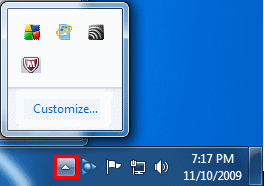
1. On the Windows taskbar, next to the clock, double-click the McAfee (M) icon.
Note: If you're using Windows 7 or 8 and don't see the McAfee icon next to the clock, click the arrow next to the clock to reveal hidden icons.
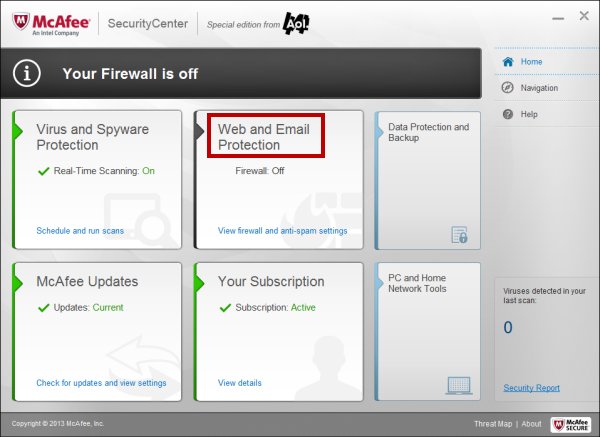
2. In the McAfee SecurityCenter window, click Web and Email Protection.
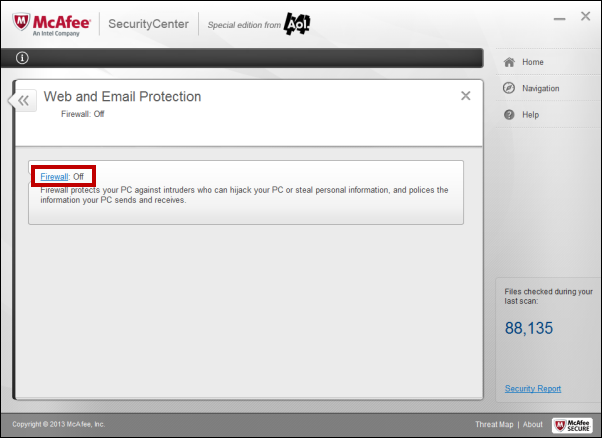
3. Click Firewall: Off.
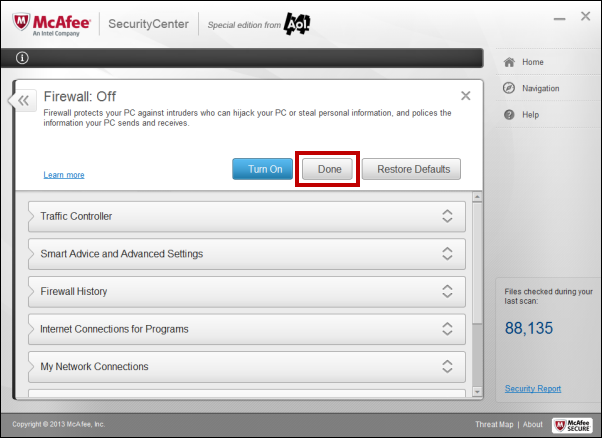
4. Click the Turn On button.
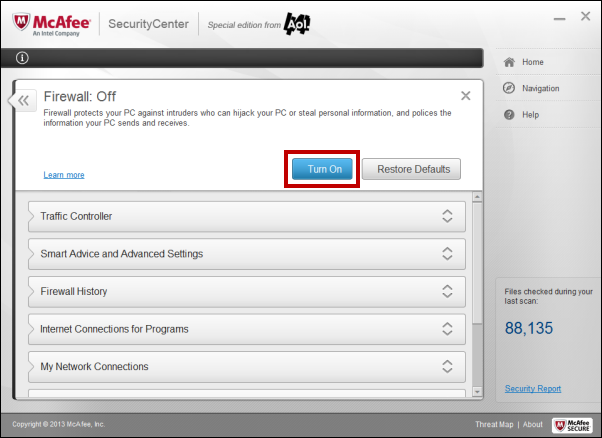
5. Click Done.
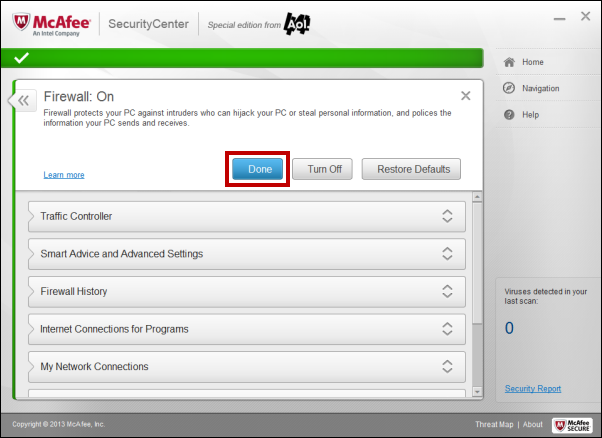
Disable firewall protection
To disable firewall protection:
1. On the Windows taskbar, next to the clock, double-click the McAfee (M) icon.
Note: If you're using Windows 7 or 8 and don't see the McAfee icon next to the clock, click the arrow next to the clock to reveal hidden icons.
2. In the McAfee SecurityCenter window, click Web and Email Protection.
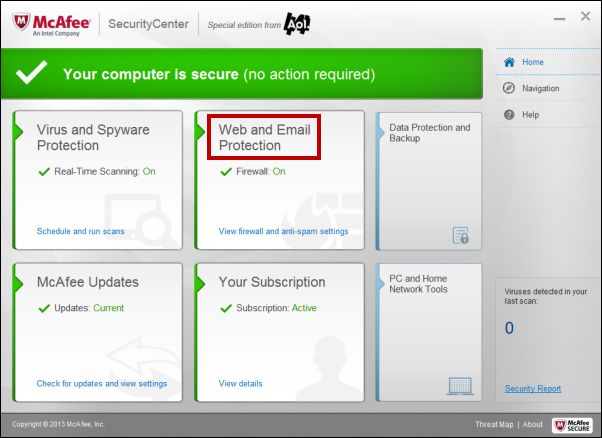
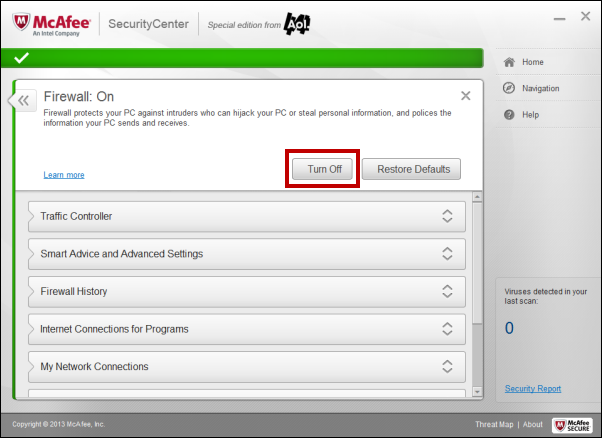
3. Click Firewall:On.
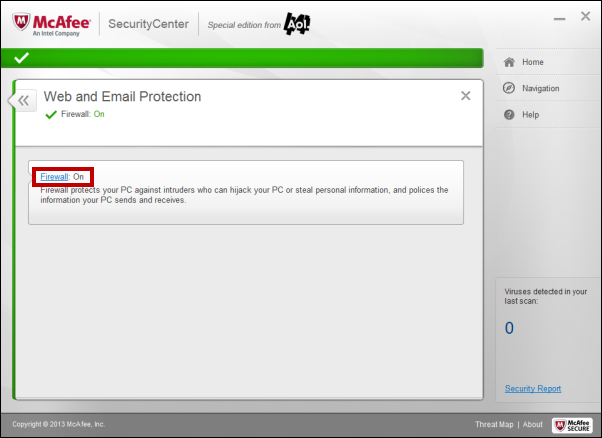
4.Click the Turn Off button.
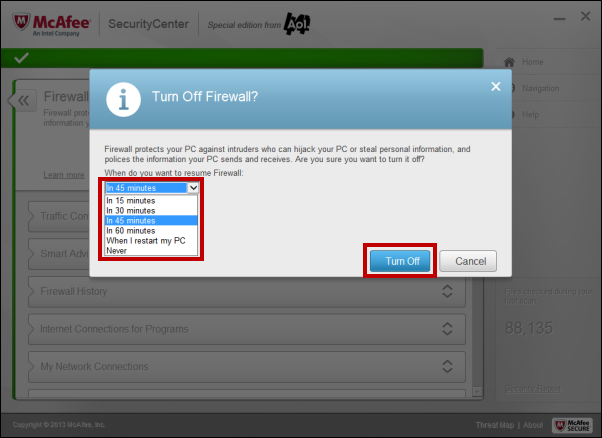
5. On the Turn Off Firewall confirmation dialog box, click the When do you want to resume Firewall drop-down menu, choose the appropriate option, and then click Turn Off.
6. Click Done.